












Južná Afrika eSIM a cestovný sprievodca: zostaňte v spojení jednoducho
Základné cestovné informácie, rady o mobilnom internete a užitočné tipy na vašu cestu do South Africa.
Vitajte v Južnej Afrike: Čaká vás prepojená cesta

Južná Afrika je krajina ohromujúcej rozmanitosti, od pulzujúcich ulíc Kapského Mesta po divoké rozlohy Národného parku Kruger, dramatické pohorie Drakensberg a slnkom zaliaté pláže Durbanu. Ako cestovateľ budete chcieť zachytiť každý okamih, navigovať neznáme cesty, rezervovať ubytovanie na poslednú chvíľu a zdieľať svoje zážitky v reálnom čase. To je presne dôvod, prečo spoľahlivý mobilný internet nie je luxus, ale praktická nevyhnutnosť pri každej návšteve Južnej Afriky.
Mobilné pripojenie vám pomáha používať navigačné aplikácie ako Google Maps alebo Waze na objavovanie mestských centier aj vzdialených oblastí. Môžete okamžite rezervovať a spravovať ubytovanie cez platformy ako Booking.com alebo Airbnb, zakúpiť digitálne vstupenky na atrakcie a koordinovať sa s miestnymi touroperátormi prostredníctvom komunikačných aplikácií. Pre tých, ktorí potrebujú zostať v kontakte s rodinou alebo kolegami doma, stabilné pripojenie umožňuje plynulé hlasové a video hovory, zatiaľ čo prekladové nástroje pomáhajú preklenúť občasné jazykové bariéry, najmä vo vidieckych oblastiach, kde nie každý hovorí po anglicky.
Práca na diaľku a digitálni nomádi tiež nachádzajú Južnú Afriku čoraz atraktívnejšou vďaka rastúcej kaviarenskej kultúre a coworkingovým priestorom, ale všetko to závisí od toho, že ste online. eSIM ponúka pohodlný spôsob prístupu k miestnym dátovým sieťam bez potreby hľadať a vymieňať fyzickú SIM kartu. Dá sa nastaviť v priebehu niekoľkých minút ešte pred odchodom z domu, takže pristanete pripravení na použitie. Hoci to nie je vždy najlacnejšia možnosť v porovnaní s miestnou predplatenou SIM kartou, šetrí čas a zjednodušuje cestovanie, čím sa vyhnete problémom s registračnými požiadavkami alebo návštevou obchodu. Používaním eSIM môžete nechať svoju domácu SIM kartu aktívnu pre hovory a textové správy, zatiaľ čo používate miestny dátový plán, čo otvára svet pohodlia a konektivity počas vášho juhoafrického dobrodružstva.
Mobilný internet v Južnej Afrike: Čo očakávať

Južná Afrika sa môže pochváliť dobre rozvinutou infraštruktúrou mobilných sietí, najmä vo veľkých mestách a okolo nich, ako aj v obľúbených turistických destináciách. Pokrytie 4G LTE je rozsiahle v mestských oblastiach, ako sú Johannesburg, Kapské Mesto, Durban a Pretória, kde môžete očakávať spoľahlivé dátové rýchlosti pre každodenné použitie vrátane streamovania, sociálnych médií a videohovorov. V týchto metropolitných regiónoch je pokrytie zvyčajne dobré aj v interiéri, hoci hrubé steny v niektorých starších budovách alebo odľahlých chatách môžu občas oslabiť signál.
5G je stále v procese zavádzania po celej krajine. Zatiaľ čo niektoré centrálne obchodné štvrte a bohaté predmestia ponúkajú prístup k 5G, nie je to ani zďaleka univerzálne. Neočakávajte 5G pripojenie vo vidieckych oblastiach, malých mestách alebo dokonca vo všetkých častiach veľkých miest. Ak váš eSIM plán zahŕňa prístup k 5G a vaše zariadenie podporuje požadované pásma, môžete v určitých lokalitách zažiť rýchlejšie rýchlosti, ale nikdy sa na to nedá spoľahnúť. Pre drvivú väčšinu cestovateľov bude 4G viac než dostatočné na navigáciu, komunikáciu a zábavu počas cestovania.
Keď sa vydáte mimo miest, obraz o pripojení sa mení. Vidiecke oblasti, národné parky a horské regióny majú často nesúvislé pokrytie. Zatiaľ čo hlavné cesty a väčšina turistických táborov v rezerváciách, ako je Národný park Kruger, majú nejaký signál, hlboko v divočine môže byť pripojenie obmedzené alebo vôbec žiadne. Pobrežné oblasti pozdĺž Garden Route majú zvyčajne slušné pokrytie, ale odľahlé pláže a prírodné rezervácie môžu predstavovať výzvy. Je rozumné si stiahnuť offline mapy a všetky nevyhnutné cestovné informácie predtým, ako sa vydáte do izolovanejších oblastí.
Faktory, ktoré ovplyvňujú vašu skutočnú skúsenosť, zahŕňajú preťaženie siete, najmä v rušných mestských centrách počas špičky, anténu vášho zariadenia a podporované frekvenčné pásma, a konkrétny eSIM plán, ktorý ste si vybrali. Niektoré plány sa môžu pripájať iba k jednej partnerskej sieti namiesto automatického prepínania medzi všetkými dostupnými operátormi. To znamená, že vaše pokrytie bude určené dosahom tej konkrétnej siete. Vždy si skontrolujte podrobnosti o pláne, aby ste vedeli, ktorú sieť (siete) budete používať. Stručne povedané, zatiaľ čo mobilný internet v Južnej Afrike je pre potreby turistov vo všeobecnosti dobrý, vyžaduje si určité plánovanie pri cestovaní mimo bežných trás.
Mobilní operátori v Južnej Afrike
Mobilnú krajinu Južnej Afriky ovláda niekoľko zavedených sieťových operátorov, každý so svojimi silnými stránkami a pokrytím. Pochopenie toho, kto sú, vám môže pomôcť urobiť informované rozhodnutie pri výbere eSIM plánu.
Vodacom je všeobecne považovaný za operátora s najrozsiahlejším pokrytím, najmä vo vidieckych a odľahlých oblastiach. Ponúka silné 4G a rastúce 5G pokrytie vo veľkých mestách. Pre cestovateľov, ktorí sa vydávajú mimo bežných trás, môže byť eSIM, ktorá spolupracuje s Vodacom, spoľahlivou voľbou.
MTN je ďalším popredným poskytovateľom s robustným mestským pokrytím a rýchlo sa rozširujúcou sieťou. Často si konkuruje s Vodacom v rýchlosti a dosahu a mnohé medzinárodné roamingové dohody sa spoliehajú na infraštruktúru MTN.
Cell C prevádzkuje vlastnú sieť, ale má aj roamingovú dohodu s MTN na rozšírenie svojho pokrytia. To znamená, že plán používajúci Cell C sa môže v mnohých lokalitách v skutočnosti pripojiť k MTN, hoci rýchlosti a prístup môžu byť riadené odlišne.
Telkom, čiastočne štátna spoločnosť, ponúka konkurencieschopné dátové balíčky a vybudoval solídnu 4G sieť, hoci jeho pokrytie vo veľmi odľahlých oblastiach môže byť menej komplexné ako u Vodacom alebo MTN. Je obzvlášť populárny v mestských a prímestských oblastiach.
Okrem týchto hlavných hráčov je Rain novším operátorom zameraným predovšetkým na dátovo-only služby a 5G, ale jeho pokrytie je obmedzené na metropolitné oblasti. Existujú aj početní mobilní virtuálni sieťoví operátori (MVNO), ktorí sa pripájajú na infraštruktúru väčších sietí; niektorí poskytovatelia eSIM môžu používať tieto namiesto priamych partnerstiev.
Keď si zakúpite eSIM pre Južnú Afriku, poskytovateľ určí, ku ktorej sieti alebo sieťam máte prístup. Nie je zaručené, že sa vaše zariadenie automaticky prepne medzi všetkými dostupnými operátormi. V závislosti od plánu môže byť možný manuálny výber siete, alebo môžete byť uzamknutý na konkrétneho operátora. 5G pripojenie závisí od vášho plánu, kompatibility zariadenia a 5G pokrytia partnerskej siete. Pred kúpou si vždy pozorne prečítajte podrobnosti o eSIM pláne, aby ste pochopili, čo dostávate.
Destinácie, ktoré musíte vidieť, a ako mobilný internet obohacuje vašu návštevu

Južná Afrika je pokladnicou zážitkov, od adrenalínových dobrodružstiev až po pokojné prírodné krásy. S eSIM, ktorá vás udržiava v spojení, objavovanie týchto miest je ešte jednoduchšie.
Kapské Mesto a Kapský polostrov sú často vrcholom každej cesty. Použite svoj mobilný internet na rezerváciu lístka na lanovku na Stolovú horu, skontrolujte veterné podmienky na malebnú jazdu po Chapman’s Peak, alebo nájdite najlepší čas na fotografovanie farebných domov v Bo-Kaap. V&A Waterfront ponúka mix nákupov, stravovania a akvária Two Oceans, všetko ľahko navigovateľné pomocou online máp.
Garden Route sa tiahne pozdĺž juhovýchodného pobrežia a je rajom pre cestovateľov autom. Konektivita vám pomôže nájsť skryté pláže, lokalizovať miesta na pozorovanie veľrýb v sezóne a rezervovať pobyt na poslednú chvíľu v očarujúcich mestách ako Knysna a Plettenberg Bay. Aktuálne informácie o počasí môžu byť neoceniteľné pri plánovaní outdoorových aktivít, ako je turistika v národnom parku Tsitsikamma.
Pre milovníkov divokej prírody je Krugerov národný park neprekonateľný. Zatiaľ čo signál môže byť v parku slabý, mať spojenie pri bránach a odpočívadlách vám umožňuje zdieľať pozorovania na sociálnych sieťach, skontrolovať najnovšie tipy od strážcov alebo dokonca online rezervovať sprievodný safari. Iné rezervácie ako národný park Addo Elephant a park Hluhluwe–Imfolozi tiež ponúkajú neuveriteľné stretnutia a profitujú z podobnej konektivity.
Dračie hory ponúkajú úchvatnú turistiku s chodníkmi ako Amfiteáter v národnom parku Royal Natal. Stiahnite si mapy chodníkov vopred a použite svoje pripojenie na kontrolu predpovede počasia pred výstupom. V Johannesburgu je návšteva Múzea apartheidu a Constitution Hill dojímavá; aplikácia s audiosprievodcom môže prehĺbiť zážitok a ľahko si objednáte službu dopravy na požiadanie, aby ste sa bezpečne pohybovali.
Pozdĺž pobrežia je Durban’s Golden Mile ideálny na surfovanie a plážový život s množstvom reštaurácií na objavovanie prostredníctvom recenzných aplikácií. Národný park iSimangaliso Wetland, zapísaný na zozname svetového dedičstva UNESCO, spája mokrade, pláže a divokú prírodu, kde pripojené zariadenie pomáha identifikovať druhy vtákov alebo zariadiť výlet loďou. Počas celej cesty vám mobilný internet umožňuje praktické úlohy, ako je preklad fráz v afrikánčine alebo zulu, prepočet mien a informovanie o miestnych udalostiach alebo bezpečnostných upozorneniach.
Juhoafrická kultúra, kuchyňa a praktické rady
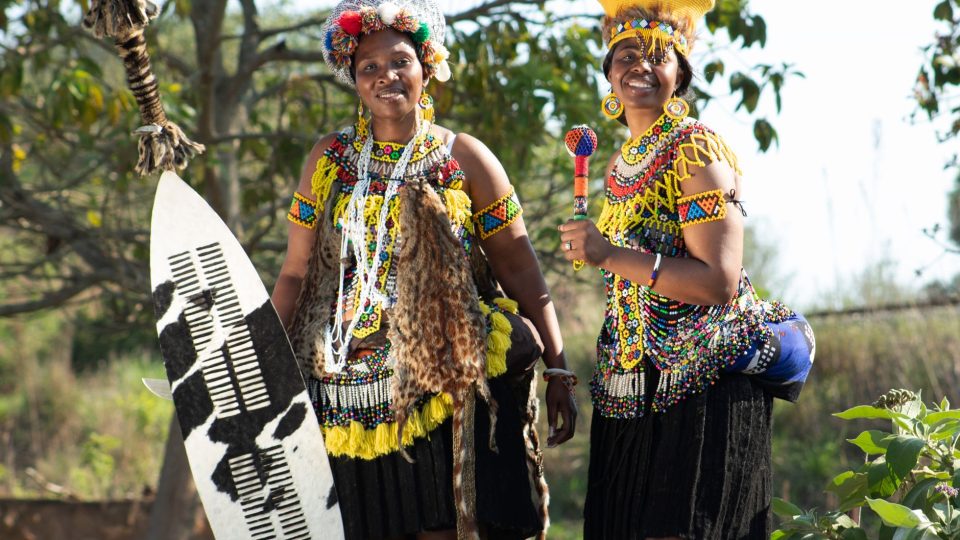
Kultúrna mozaika Južnej Afriky je jedným z jej najväčších lákadiel, formovaná 11 úradnými jazykmi a tapisériou tradícií. Zatiaľ čo angličtina je široko používaná v mestských a turistických oblastiach, naučenie sa niekoľkých slov v iných jazykoch, ako napríklad priateľské „Sawubona“ (ahoj v isiZulu) alebo „Molo“ (ahoj v isiXhosa), môže otvoriť dvere a úsmevy. Používajte prekladové aplikácie na svojom zariadení s eSIM na pomoc pri menej bežných interakciách, najmä na vidieckych ubytovaniach alebo v townshipoch.
Jedlo je lahodným odrazom rozmanitosti krajiny. Neodchádzajte bez ochutnania bobotie, koreneného mletého mäsa, alebo výdatného potjiekos duseného mäsa pomaly vareného na uhlí. Pouličné jedlá ako boerewors rolls (klobása v žemli) a bunny chow (dutý chlieb naplnený kari) sú povinnosťou. Využite svoje pripojenie na nájdenie najlepších miestnych podnikov na food blogoch alebo v aplikáciách. Braai (grilovanie) je národnou zábavou; ak ste pozvaní, prineste mäso alebo prílohu ako prejav vďaky.
Festivaly spestrujú juhoafrický kalendár. Cape Town International Jazz Festival a National Arts Festival v Makhanda priťahujú globálne davy, zatiaľ čo menšie podujatia ako Ficksburg Cherry Festival ponúkajú kúsok miestneho života. Skontrolujte online zoznamy podujatí a rezervujte lístky cez mobilný prehliadač, aby ste sa vyhli sklamaniu z vypredania.
Pokiaľ ide o dopravu, spoľahlivé aplikácie ako Uber a Bolt fungujú v mestách a sú často bezpečnejšie ako chytanie taxíka na ulici, najmä v noci. Na dlhšie vzdialenosti Gautrain efektívne spája Johannesburg, Pretóriu a letisko. S eSIM môžete spravovať rezervácie a platby na cestách. Majte na pamäti, že Juhoafričania jazdia vľavo a navigačná aplikácia je nevyhnutná pre safari s vlastným pohonom alebo orientáciu v niekedy chaotických minibusových taxi trasách.
Úcta k starším a určitá miera formality pri prvých stretnutiach je cenená. Podanie ruky je bežné a slušné je udržiavať očný kontakt. Prepitné je štandardné: okolo 10-15% v reštauráciách. Bezpečnosť je dôležitá v niektorých oblastiach; mať nabitý, pripojený telefón vám umožní zavolať pomoc alebo zdieľať svoju polohu s dôveryhodnými kontaktmi, čo pridáva ďalšiu vrstvu bezpečia počas cestovania.
Nastavenie vašej eSIM pre Južnú Afriku: Podrobný sprievodca
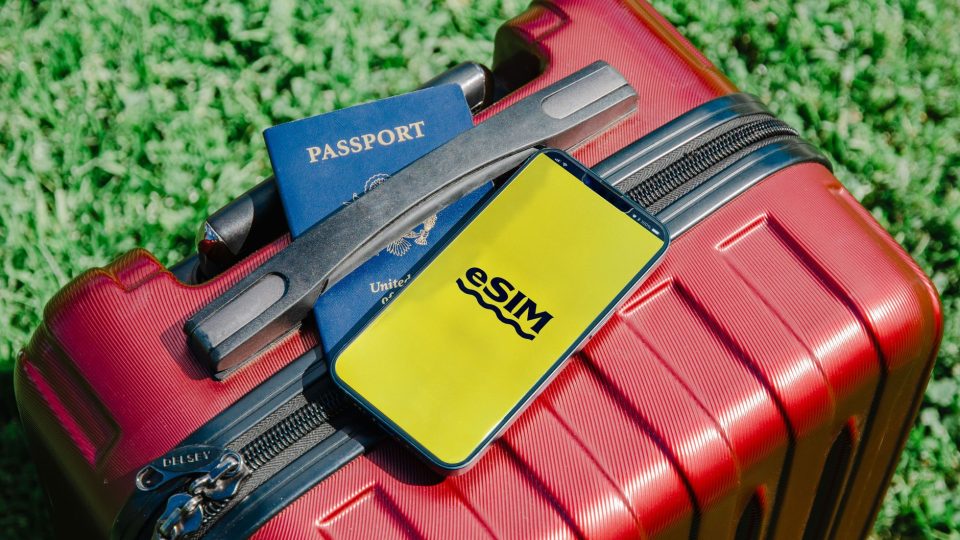
Predtým, než sa v Južnej Afrike spoľahnete na eSIM, je dôležité uistiť sa, že vaše zariadenie je kompatibilné a správne nastavené. Väčšina najnovších smartfónov podporuje eSIM, ale skontrolujte si svoj konkrétny model: prejdite do nastavení a vyhľadajte možnosť pridať mobilný plán. Presné umiestnenie sa líši podľa výrobcu. Okrem toho musí byť váš telefón odblokovaný pre sieť. Ak je viazaný na konkrétneho operátora, kontaktujte ho a požiadajte o odblokovanie pred cestou.
Zakúpte si eSIM plán od renomovaného poskytovateľa, ako sú napríklad tí uvedení na esimtravelnet.com. Po zakúpení zvyčajne dostanete QR kód e-mailom. Najlepšie je nainštalovať eSIM, keď máte stabilné Wi-Fi pripojenie, pretože inštalácia vyžaduje stiahnutie profilu. Nečakajte, kým pristanete v Južnej Afrike bez prístupu na internet.
Na inštaláciu otvorte fotoaparát alebo skener QR kódov a postupujte podľa výzvy, alebo manuálne zadajte podrobnosti v nastaveniach mobilnej siete vášho zariadenia. Počas nastavovania môžete byť požiadaní o označenie eSIM (napríklad „Cestovanie po Južnej Afrike“). Po nainštalovaní môžete spravovať domácu SIM aj eSIM súčasne. Nastavte eSIM ako predvolenú linku pre mobilné dáta, aby ste predišli náhodnému použitiu primárnej SIM, čo by mohlo viesť k drahým roamingovým poplatkom. V závislosti od pokynov poskytovateľa možno budete musieť povoliť dátový roaming na eSIM, aby sa mohla pripojiť k partnerskej sieti v Južnej Afrike.
Načasovanie aktivácie sa líši: niektoré eSIM sa aktivujú okamžite po inštalácii, iné sa aktivujú až po detekcii podporovanej siete v cieľovej destinácii. Vždy si prečítajte konkrétnu aktivačnú politiku plánu. Uchovávajte QR kód a všetky aktivačné údaje na bezpečnom mieste pre prípad, že by ste potrebovali preinštalovať. Neodstraňujte profil eSIM, pokiaľ poskytovateľ nepotvrdí, že ho možno znova nainštalovať, pretože mnohé eSIM sú na jedno použitie.
Ak po príchode narazíte na problémy, najskôr skúste reštartovať zariadenie. Skontrolujte, či je eSIM vybratá pre dáta a či nastavenia APN zodpovedajú nastaveniam poskytnutým vaším operátorom. Ak sa nemôžete pripojiť, manuálne vyhľadajte dostupné siete v nastaveniach siete vášho zariadenia a vyberte partnerskú sieť uvedenú vo vašom pláne. Pamätajte, že automatické prepínanie sietí nie je vždy podporované, takže možno budete musieť zostať pri pridelenom operátorovi. Dodržaním týchto krokov budete pripojení a pripravení objavovať Južnú Afriku s istotou, pričom vaše primárne číslo zostane k dispozícii pre dôležité hovory a správy.
Pripravení cestovať do South Africa?
Vyberte si eSIM pred odchodom a pripojte sa k mobilnému internetu ihneď po príchode.